Watch the video below to learn all about Online Signatures! 👇
How to complete online signatures
Verification
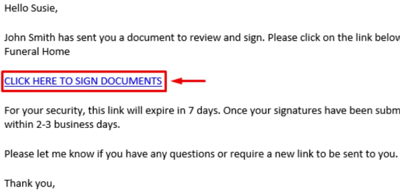
First, go to your email and click the link provided.
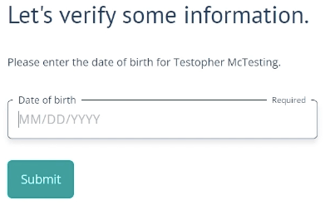
Enter the insured's date of birth for verification.
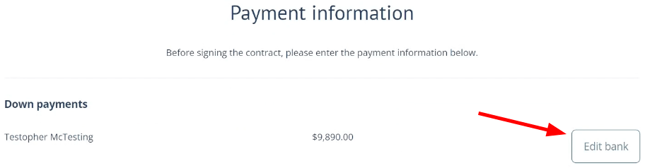
Payment
If you are providing payment details, click the Edit button. If not, skip to signatures below.
You'll be asked provide either Bank draft or Credit card information.
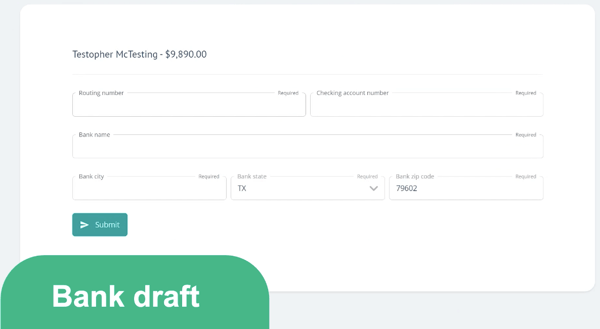
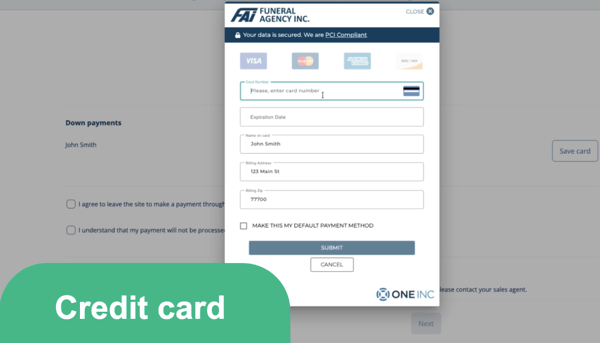
Click Submit to confirm and enter payment information.
You will know your payment information is saved when you can see the green text under the Edit button: "Bank saved" or "Card saved"
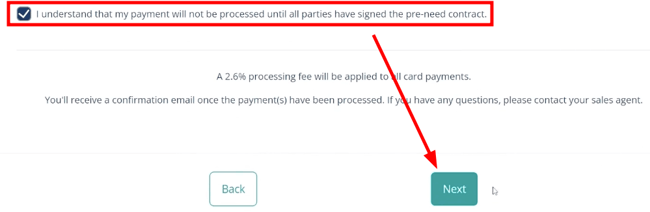
Click the checkbox, then click Next.
Signatures
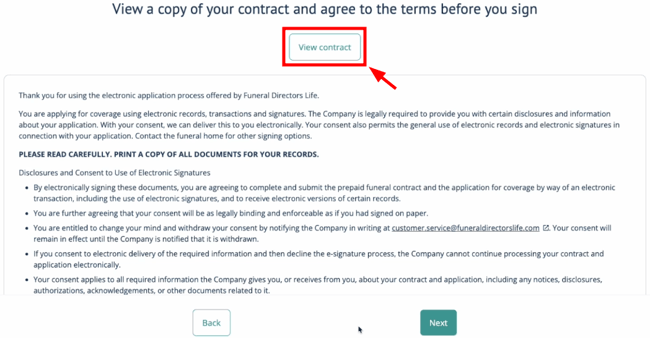
If you'd like to view the full contract, click the View contract button.
After clicking View contract, you'll be taken to a new tab to review the document. Close this tab (or return to the previous tab) when your ready to continue signing.
Scroll all the way down, click the checkbox, then click Next.
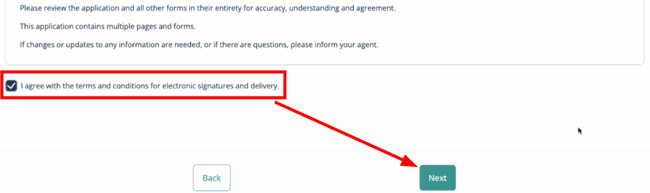
Continue scrolling through each document and clicking each checkbox to sign.
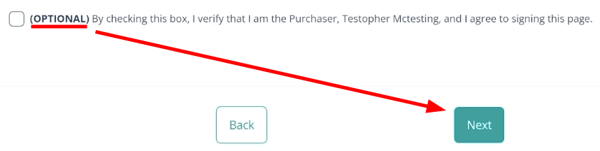
Some checkboxes are OPTIONAL. You can skip them by simply clicking Next.
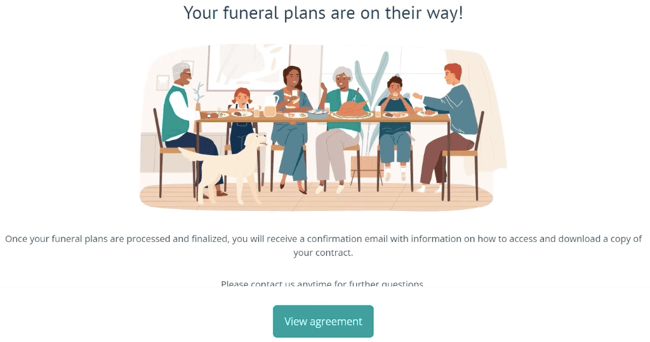
You're all done! Be on the lookout for a confirmation email with instructions on how to access and download a copy of your contract.
If you have any questions or concerns, please contact your sales agent.